
Category: Web Development

  • How to Create a Website in Benin in 2026: The Ultimate Proven Guide for Every Business

    How to Create a Website in Benin in 2026: The Ultimate Proven Guide for Every Business

    How to Create a Website in Benin in 2026
    How to Create a Website in Benin in 2026

    Learn exactly how to create a website in Benin in 2026 step-by-step, with real prices in FCFA, the right tools, and expert tips to get found on Google and AI search.

    Benin is changing fast. With over 4.8 million internet users and more than 10.6 million active mobile internet subscribers recorded in 2025, your customers are already online searching for exactly what you offer. The real question is whether they can find you.

    If you’re a business owner, entrepreneur, or professional in Benin and you still don’t have a website, you’re handing your clients to competitors who do. And if you already have one but it’s outdated, slow, or invisible on Google, the result is the same.

    This guide answers everything you need to know about how to create a website in Benin in 2026 the steps, the real costs in CFA francs, the tools, and the mistakes you absolutely need to avoid.

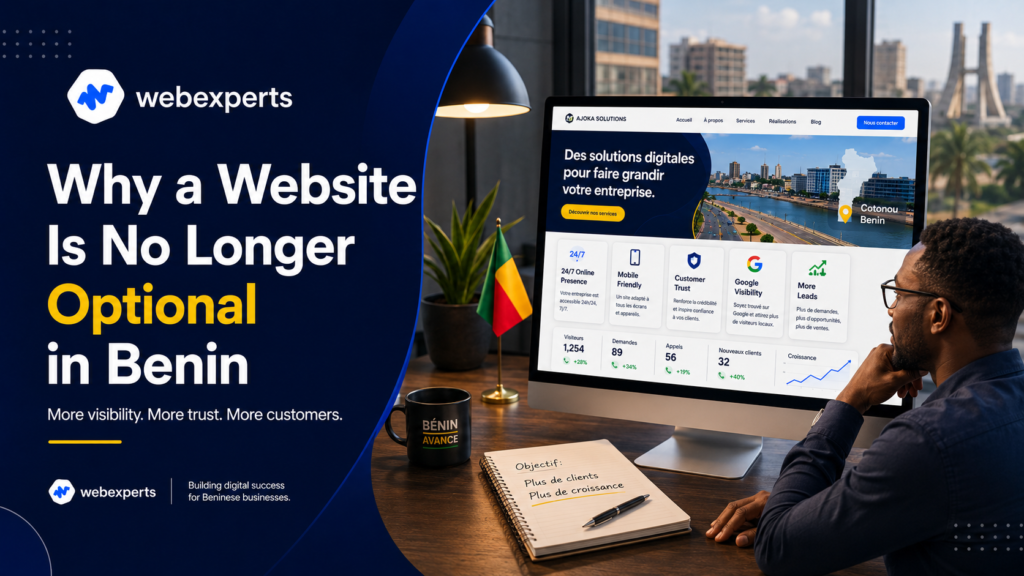
    Why a Website Is No Longer Optional in Benin

    Before diving into how to create a website in Benin in 2026, let’s address the why because understanding the stakes makes every step that follows more meaningful.
    How to Create a Website in Benin in 2026
    How to Create a Website in Benin in 2026

    Your potential clients are no longer asking friends and family first. They’re typing “plumber Cotonou” or “fashion boutique Parakou” into Google. If your business doesn’t appear, you don’t exist to them. A Facebook page helps, but it’s not yours, algorithms can reduce your reach overnight and accounts get blocked. A website, on the other hand, belongs entirely to you.

    There’s also a new dimension in 2026: AI assistants. Tools like ChatGPT and Gemini are increasingly being used to recommend businesses, products, and services. Companies with well-structured websites are being cited by these AI tools meaning your website is now a visibility asset in two worlds simultaneously: search engines and AI assistants.

    Understanding how to create a website in Benin in 2026 is no longer just about looking professional. It’s about staying in business.

    How Much Does a Website Cost in Benin?

    How to Create a Website in Benin in 2026
    How to Create a Website in Benin in 2026

    Cost is the first thing most people want to know. Here’s an honest breakdown in FCFA before walking through how to create a website in Benin in 2026:

    Website TypeCost (FCFA)Timeline
    Showcase website (1–5 pages)100,000 – 300,000 Approximately 7 days
    Full website + blog (SME)250,000 – 500,000 Approximately 2 weeks
    E-commerce store500,000 – 1,500,000 Approximately 3–4 weeks
    Custom platform1,000,000+ Approximately 1–3 months

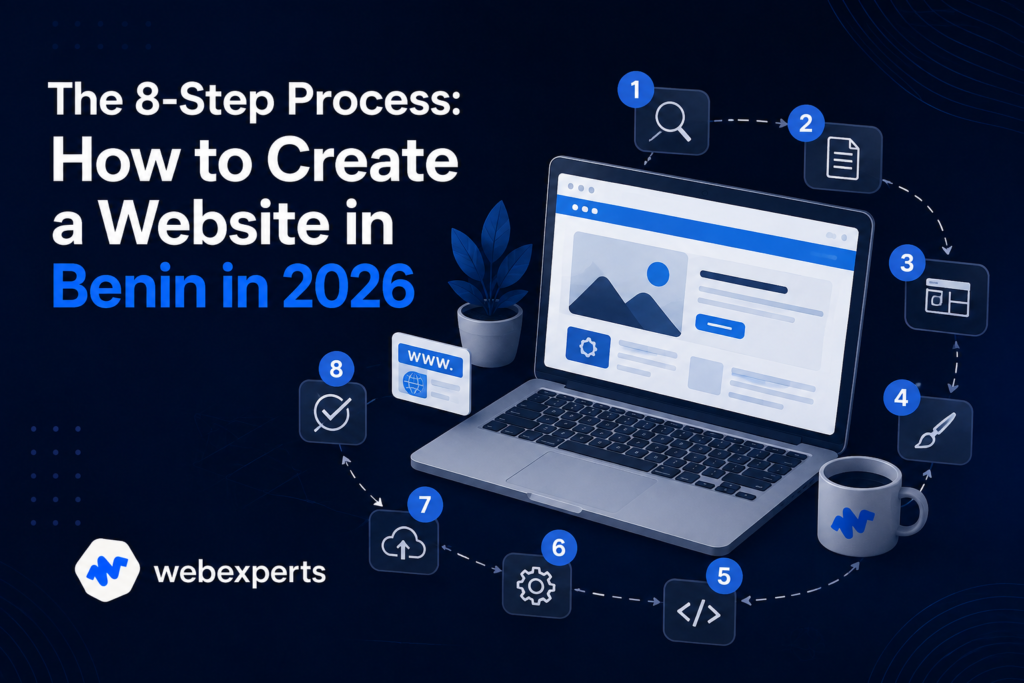
    The 8-Step Process: How to Create a Website in Benin in 2026

    How to Create a Website in Benin in 2026
    How to Create a Website in Benin in 2026

    Here is the complete, practical road map. Whether you’re working with a professional agency or exploring a D.I.Y approach, understanding how to create a website in Benin in 2026 follows the same core process.

    Step 1: Define Your Goal and Your Audience

    This is where most people skip ahead too fast and regret it later. Before thinking about design or colors, answer two questions clearly:

    • What is the website for? Selling products, generating contact requests, sharing information, booking appointments?
    • Who is it for? A Cotonou-based SME targeting local clients has very different needs from a consultant targeting the diaspora.

    A website without a clear goal doesn’t convert visitors into customers. Define the one main action you want visitors to take a Whats App message, a quote request, a purchase and build everything around that.

    Step 2: Choose and Register a Domain Name

    Your domain name is your address on the internet. When thinking about how to create a website in Benin in 2026, pick something short, easy to spell, and memorable.

    Two main extension options:

    • .com — universal, ideal if you’re also targeting international markets or the diaspora
    • .bj — Benin’s national extension, which strengthens local credibility and trust

    Many businesses register both. Domain name registration typically costs 6,000–15,000 FCFA per year.

    Step 3: Get Reliable Web Hosting

    Hosting is the server where your website’s files live. Three things matter here: speed, reliability, and security.

    A slow website costs you visitors. Research consistently shows that most users abandon a page that takes more than 3 seconds to load. Make sure your hosting includes an SSL certificate (the “https” padlock), which is now essential for both user trust and Google rankings.

    Step 4: Choose the Right Technology

    WordPress is still the best answer for most businesses in Benin in 2026. It powers over 40% of websites globally, is highly flexible, SEO-optimized from the start, and can scale as your business grows.

    For e-commerce, WooCommerce (built on WordPress) or Shopify are the leading options. WooCommerce is powerful and commission-free; Shopify is simpler but involves monthly subscriptions and is less flexible.

    Avoid building on free platforms like Wix or Google Sites for a professional business. They offer limited S.E.O capability and you’ll outgrow them quickly.

    Step 5: Plan Your Site Structure and Design

    Map out your key pages before anyone opens a design tool. A standard professional website includes: Home, About, Services or Products, Portfolio or Case Studies, and Contact.

    For Benin specifically, mobile-first design is non-negotiable. The vast majority of your visitors will arrive via smartphone. Every page must be readable on a small screen, with a prominent WhatsApp button and a clear call-to-action that’s easy to tap.

    Step 6: Create Your Content

    Content is what turns a beautiful website into a business tool. This step is often underestimated when people research how to create a website in Benin in 2026, but it’s where the real work lives.

    Write concisely and from the customer’s perspective. Answer the questions they’re already asking. Include:

    • High-quality photos of your work, products, or team
    • Client testimonials or reviews
    • Clear pricing or at least a pricing range
    • Your contact details on every page

    Avoid copying content from other websites. Duplicate content harms your S.E.O and damages credibility with both Google and your visitors.

    A beautiful website that nobody finds is a wasted investment. Knowing how to create a website in Benin in 2026 means building visibility into the site from day one, not as an afterthought.

    SEO (Search Engine Optimization):

    • Use relevant, targeted keywords in your titles, headings, and body text
    • Optimize your page loading speed
    • Write unique meta descriptions for every page
    • Submit your XML sitemap to Google Search Console

    Local SEO:
    Set up and fully optimize your Google Business Profile. This makes your business appear on Google Maps and in “near me” searches — enormously valuable for Cotonou, Parakou, Porto-Novo, and other cities.

    GEO/AIO (AI Optimization):
    This is the 2026 addition that most agencies aren’t talking about yet. AI tools like ChatGPT and Gemini are being used by people to find and recommend businesses. Structure your content with clear answers, FAQs, and organized information so these AI assistants can index and cite your business. The companies appearing in AI recommendations are getting a visibility advantage their competitors don’t have.

    Step 8: Launch, Secure, and Maintain

    Before going live, test everything: every link, every form, mobile display on multiple screen sizes, and page load speed. Fix issues before your visitors encounter them.

    After launch, website maintenance is not optional. Regular updates, security monitoring, backups, and performance checks keep your site fast, safe, and visible on Google. A neglected website slows down over time, becomes vulnerable to attacks, and quietly drops out of search results.

    DIY vs. Hiring an Agency: Which Makes More Sense?

    How to Create a Website in Benin in 2026
    How to Create a Website in Benin in 2026

    Part of understanding how to create a website in Benin in 2026 is being honest about your own skills, time, and priorities.

    DIY approach:

    • Lower upfront cost
    • Full control over the process
    • Requires significant time investment
    • Risk of a slow, poorly optimized, or unprofessional result
    • Technical issues can be frustrating and costly to fix later

    Professional agency:

    • Polished, fast, secure result from day one
    • SEO built in from the start
    • Saves weeks of your time — time better spent running your business
    • Ongoing support and maintenance available

    For most businesses in Benin, hiring a local agency that understands mobile users, Mobile Money integration, and the local market is the most economical long-term decision, even if the initial cost is higher than doing it yourself.

    7 Mistakes to Avoid When You Create a Website in Benin

    How to Create a Website in Benin in 2026
    How to Create a Website in Benin in 2026

    Now that you know the steps involved in how to create a website in Benin in 2026, here are the most expensive mistakes to avoid:

    1. Ignoring mobile design — Most of your visitors use smartphones. A non-responsive site loses them immediately.
    2. Slow loading speed — Pages taking more than 3 seconds to load drive visitors away before they even see your offer.
    3. No S.E.O from the start — S.E.O added as an afterthought is far less effective than S.E.O built into the site structure.
    4. No Mobile Money integrationMTN MoMo and Moov Money are essential for e-commerce in Benin. Excluding them cuts you off from the majority of potential buyers.
    5. No S.S.L certificate — Without “https,” Google flags your site as not secure and visitors leave.
    6. Copying content — Duplicate content is penalized by Google and destroys your credibility.
    7. No maintenance after launch — An abandoned website degrades, slows down, and disappears from search results.

    WebExperts Helps You Build a Website That Works

    How to Create a Website in Benin in 2026
    How to Create a Website in Benin in 2026

    Understanding how to create a website in Benin in 2026 is the foundation. Executing it correctly is where the real difference is made.

    At WebExperts, we build professional WordPress websites for businesses in Benin and across West Africa, combining expert design, S.E.O-first structure, Mobile Money integration, and ongoing support into one clear package. We don’t just deliver a website. We deliver a business tool that generates clients.

    Whether you’re launching your first professional site or rebuilding an outdated one, our team handles every step so you don’t have to.

    📩 Contact WebExperts  today for a free quote and let’s build your digital presence the right way.
  • S.E.O Audit: How to Audit Your Website? The Ultimate Step-by-Step Guide, 2026

    S.E.O Audit: How to Audit Your Website? The Ultimate Step-by-Step Guide, 2026

    Your rankings are slipping. Traffic is flat. You keep publishing content but nothing seems to move. Sound familiar?

    Before changing your entire strategy, the smartest first move is to understand exactly what’s wrong. And that means you need to answer one critical question: how to audit your website?

    An SEO audit is not a luxury reserved for enterprise companies with massive budgets. It’s the diagnostic tool that tells you precisely what’s broken, what’s working, and what to fix first. This guide walks you through the full process, practically, clearly, and without unnecessary jargon.

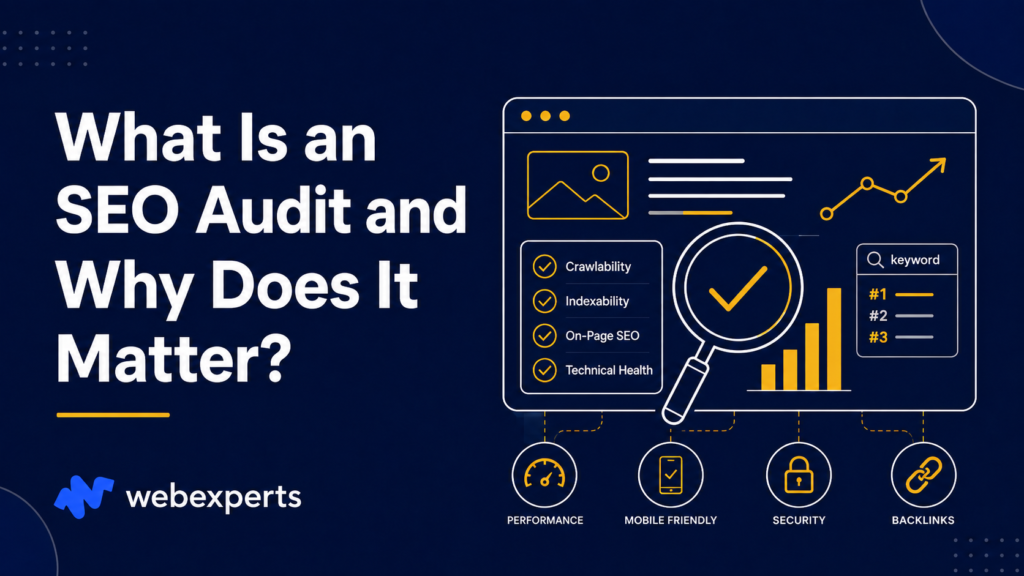
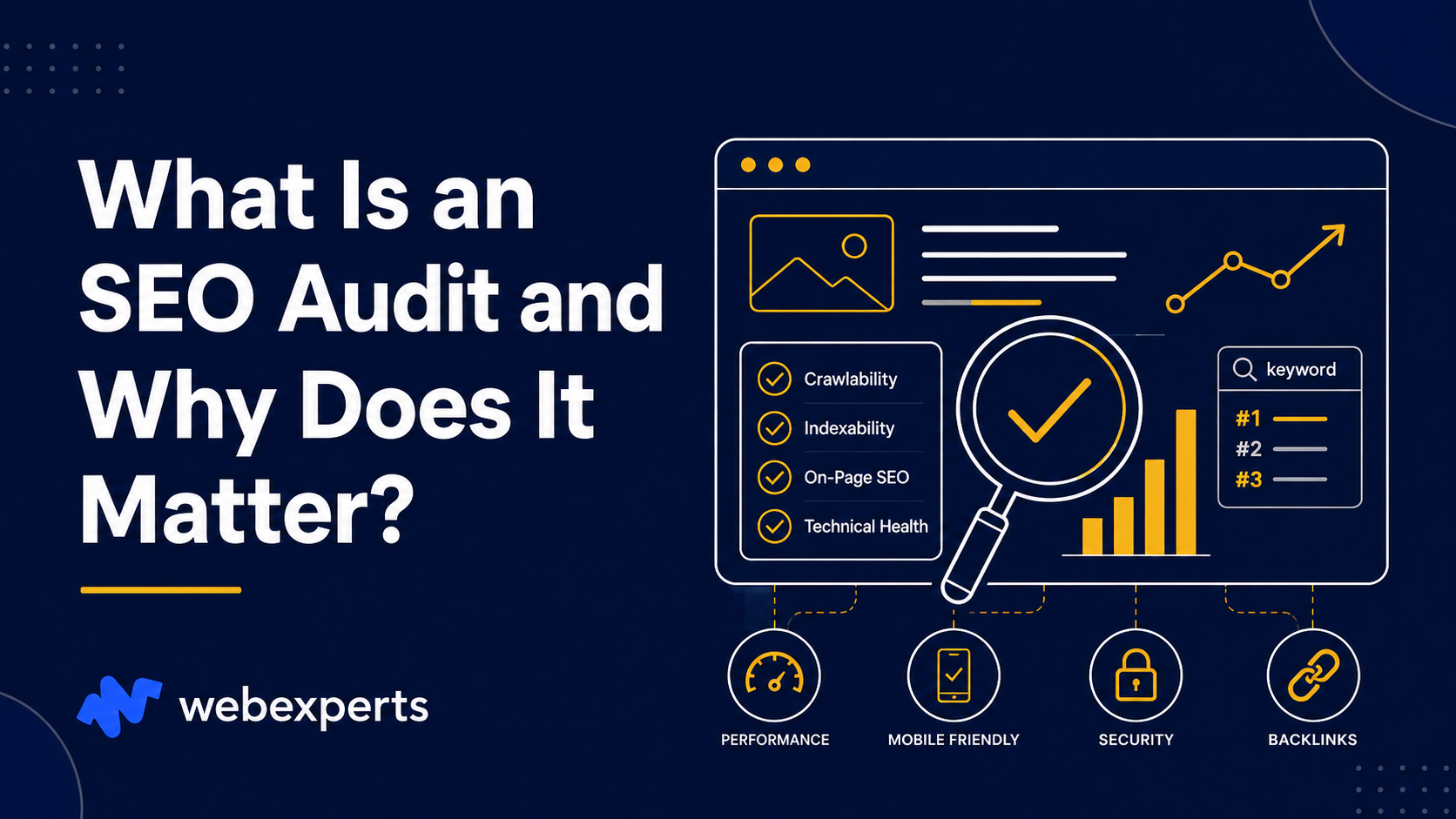
    What Is an SEO Audit and Why Does It Matter?

    How to Audit Your Website?
    How to Audit Your Website?

    An S.E.O audit is a comprehensive analysis of your website’s technical health, content quality, and back link profile. Its purpose is simple: to identify every obstacle preventing your site from ranking well on Google.

    Think of it like a medical checkup for your website. You wouldn’t treat symptoms without knowing the diagnosis first. The same logic applies here.

    When you understand how to audit your website, you gain visibility into three critical areas: technical structure, on-page content, and off-page authority. These three pillars together determine your Google rankings and a weakness in any one of them can cancel out the strength of the others.

    Step 1: Crawl Your Website First

    The starting point for anyone asking how to audit your website is a full crawl. This is where you let a specialized tool spider every page of your site and surface structural issues automatically.

    Tools to use:

    • Screaming Frog (free up to 500 pages) — detects broken links, duplicate titles, missing meta tags, and redirect chains
    • Semrush Site Audit — gives a health score and prioritized issue list
    • Ahrefs Site Audit — excellent for crawl budget and internal linking analysis

    Once the crawl is complete, you’ll have a map of your site’s problems. Don’t try to fix everything at once triage by impact and start with the issues flagged as critical.

    Step 2: Check Indexing and Crawlability

    How to Audit Your Website?
    How to Audit Your Website?

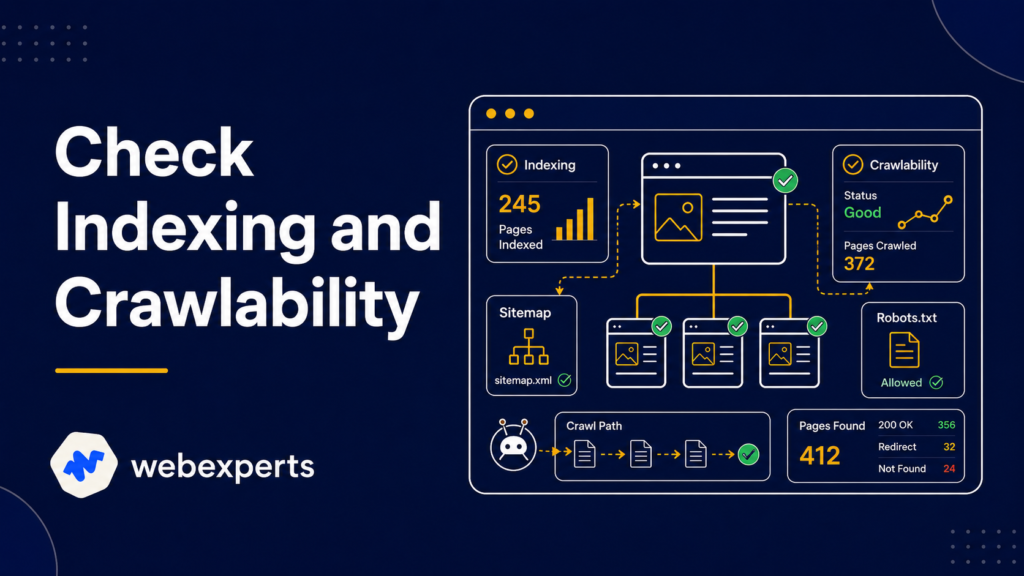
    A page that isn’t indexed can’t rank. Full stop. This is one of the most overlooked steps when people explore how to audit your website, and it’s often the cause of unexplained traffic drops.

    Open Google Search Console and navigate to the Coverage report. Look for:

    • Pages excluded from indexing
    • Crawl errors and blocked URLs
    • Pages marked “Discovered — currently not indexed”

    Also check your robots.txt file to make sure you haven’t accidentally blocked important pages from Google’s crawler. A single misplaced line in robots.txt can deindex your entire blog.

    Your XML sitemap should list every page you want indexed and nothing else. Submit it via Google Search Console if you haven’t already.

    Step 3: Audit Your On-Page Elements

    This is the most time-intensive part of learning how to audit your website, but it’s also where some of the fastest wins live.

    Go page by page especially your top 20 most important pages and check:

    Title Tags
    Every page needs a unique, keyword-rich title tag under 60 characters. Duplicate or missing title tags confuse Google and reduce your click-through rate from search results.

    Meta Descriptions
    These don’t directly impact rankings, but they affect whether someone clicks your result. Each meta description should be unique, under 160 characters, and include a clear value proposition.

    Header Tags (H1, H2, H3)
    Every page should have exactly one H1 that includes your primary keyword. Supporting H2s and H3s should organize the content logically and include secondary keywords naturally.

    Image Alt Text
    Every image on your site should have a descriptive alt attribute. This helps with accessibility and gives Google additional context about your content.

    Step 4: Evaluate Your Content Quality

    How to Audit Your Website?
    How to Audit Your Website?

    Technical fixes are important, but how to audit your website goes beyond code. Content quality is one of Google’s most significant ranking factors, and many sites have major content issues they’re not aware of.

    During your content audit, ask:

    • Does each page target a specific keyword with clear search intent?
    • Is the content comprehensive enough to compete with what’s currently ranking?
    • Are there thin pages (under 300 words) that add no real value?
    • Do you have multiple pages competing for the same keyword (keyword cannibalization)?

    Compare your content directly to the top 3–5 ranking pages for your target keywords. Look at length, depth, structure, and freshness. If competitors are consistently producing more thorough content, that’s your gap.

    Thin content should be either expanded significantly or merged with stronger pages. Pages that serve no S.E.O purpose should be removed or redirected.

    Step 5: Analyze Your Site Speed and Core Web Vitals

    Page speed is a confirmed Google ranking factor. If your site loads slowly, you’re losing rankings and visitors simultaneously. This step is non-negotiable when thinking about how to audit your website effectively.

    Use Google PageSpeed Insights to test both mobile and desktop load times. Pay close attention to:

    • LCP (Largest Contentful Paint): How quickly the main content loads. Aim for under 2.5 seconds.
    • FID / INP (Interaction to Next Paint): How responsive the page is to user input.
    • CLS (Cumulative Layout Shift): Whether elements shift around as the page loads.

    Common speed issues include uncompressed images, render-blocking JavaScript, no caching policy, and slow hosting servers. Many of these have straightforward fixes that can produce noticeable ranking improvements within weeks of a Google re-crawl.

    Step 6: Review Your Internal Linking Structure

    How to Audit Your Website?
    How to Audit Your Website?

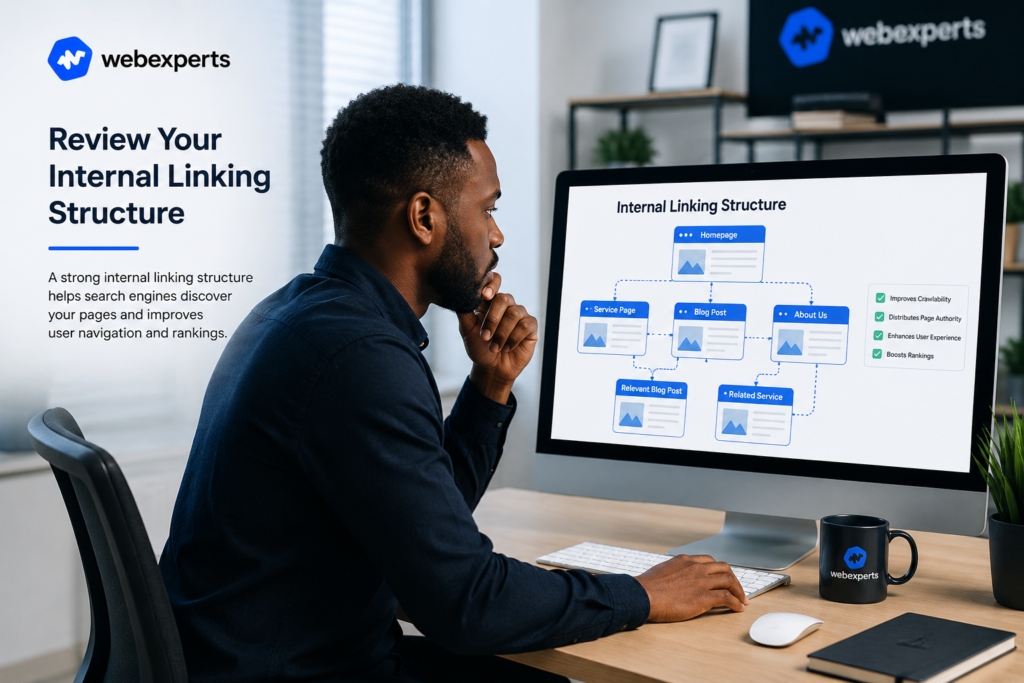
    Internal links do two important jobs: they help users navigate your site, and they distribute authority from strong pages to weaker ones. A well-structured internal linking strategy is a competitive advantage most sites completely ignore.

    When working through how to audit your website, look for:

    • Orphan pages — pages with no internal links pointing to them (Google may never find these)
    • Pages with too few internal links — important pages that aren’t receiving any authority from the rest of the site
    • Broken internal links — links that point to pages that no longer exist (returning a 404 error)

    Every important page on your site should be reachable within 3 clicks from the homepage. If it isn’t, it’s likely being undervalued by Google.

    Backlinks remain one of the strongest ranking signals Google uses. Part of understanding how to audit your website is knowing the quality and quantity of sites linking to you.

    Use Ahrefs, Semrush, or Moz to pull your full backlink profile and analyze:

    • Total referring domains — how many unique sites link to you
    • Domain authority distribution — are your links coming from high-quality or low-quality sites?
    • Anchor text diversity — over-optimized anchor text (too many exact-match keywords) can trigger Google penalties
    • Toxic links — links from spammy or irrelevant sites that may be hurting your rankings

    If you find toxic links, add them to a disavow file and submit it via Google Search Console. Focus future link building on earning relevant, authoritative links from sites in your industry.

    Step 8: Check Mobile Usability

    How to Audit Your Website?
    How to Audit Your Website?

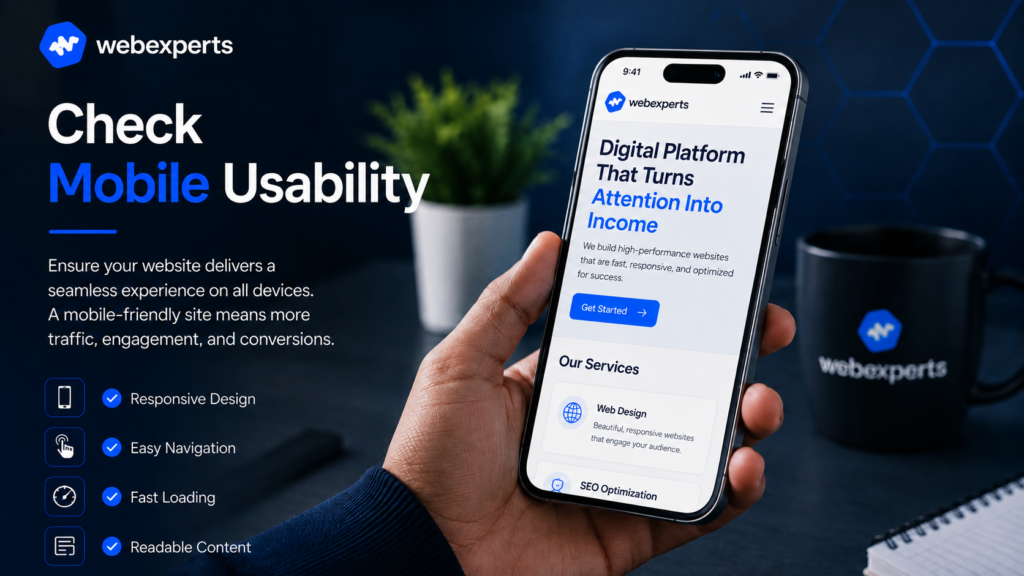
    Google uses mobile-first indexing, which means it primarily evaluates your mobile version when determining rankings. If you’re not checking mobile usability when learning how to audit your website, you’re missing a massive piece of the puzzle.

    Use the Mobile-Friendly Test in Google Search Console or simply open your site on a real mobile device and ask:

    • Is the text readable without zooming?
    • Are buttons large enough to tap comfortably?
    • Does the page load in under 3 seconds on a mobile connection?
    • Is all content visible, or does anything get cut off or hidden?

    Mobile issues that affect the user experience directly impact your bounce rate and a high bounce rate signals to Google that your page isn’t satisfying searchers.

    Step 9: Build Your Action Plan

    This is the step where most DIY audits collapse. People run the tools, collect the data, and then do nothing with it. Knowing how to audit your website is only valuable if you turn findings into action.

    Build a prioritized list:

    1. Critical fixes — indexing errors, broken pages, major speed issues (fix within 1–2 weeks)
    2. High-impact improvements — on-page optimization, content gaps, internal linking (fix within 1 month)
    3. Long-term projects — backlink building, content expansion, schema markup (ongoing)

    Assign ownership for each task and set realistic deadlines. SEO rewards consistency over urgency — don’t rush fixes in a way that creates new problems.

    How Long Until You See Results?

    This is the most common follow-up question once someone learns how to audit your website: how long does it take?

    Here’s an honest breakdown:

    • Technical fixes (crawl errors, broken links, speed): visible improvement in 2–6 weeks after Google re-crawls
    • Content improvements (rewrites, merges, expansions): 2–4 months for measurable ranking movement
    • Backlink building: 3–6 months to see full impact on competitive keywords

    Track progress monthly using Google Search Console and Analytics watch organic impressions, average position on target keywords, and indexed page count. Don’t judge results week by week; the real trend shows over 3–6 months.

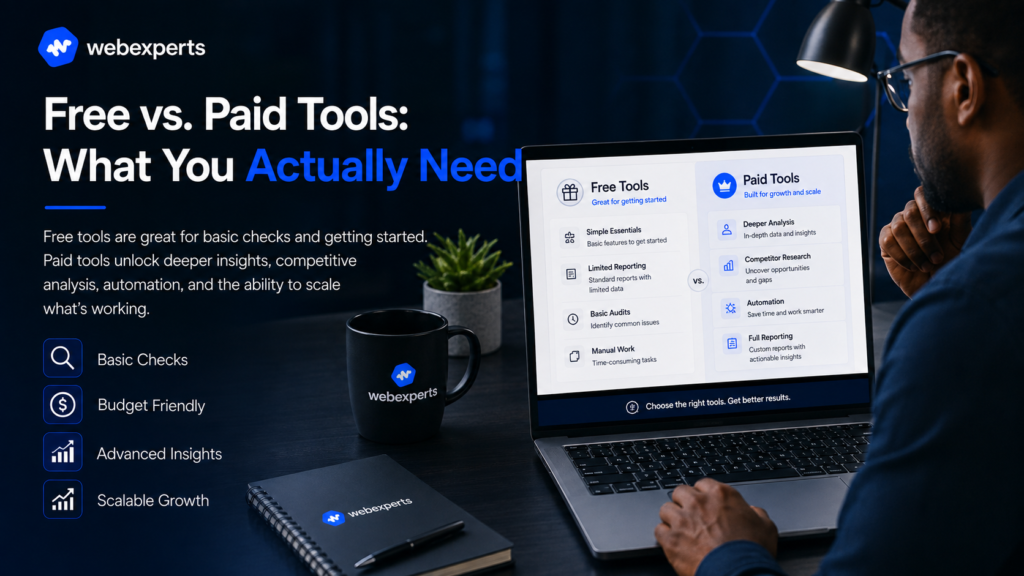
    Free vs. Paid Tools: What You Actually Need

    How to Audit Your Website?
    How to Audit Your Website?

    If you’re just starting to understand how to audit your website, you don’t need to spend money immediately. Here’s what you can do for free:

    ToolWhat It Does
    Google Search ConsoleIndexing, crawl errors, search performance
    Google PageSpeed InsightsSpeed and Core Web Vitals
    Screaming Frog (free)Full crawl up to 500 pages
    Semrush (free tier)Site health overview
    Google Analytics 4Traffic behavior and landing page performance

    For larger sites or competitive markets, paid tools like Semrush, Ahrefs, or Screaming Frog’s full version provide deeper data, larger crawl limits, and historical tracking that free tools can’t match.

    Final Word: An Audit Is the Beginning, Not the End

    Now that you know how to audit your website, the most important thing to understand is this: the audit itself changes nothing. The action you take after the audit is what moves rankings.

    Make auditing a habit a full audit every 6–12 months, with monthly spot checks in between. Websites change, competitors adapt, and Google’s algorithm keeps evolving. The businesses that stay ahead are the ones that never stop measuring.

    At WebExperts, we run full S.E.O audits for businesses across West Africa and beyond combining technical analysis, content review, and competitive bench marking into one clear, actionable road map.

    📩 Ready to find out what’s holding your website back? visit WebExperts  today for a free S.E.O audit consultation.

  • Reliable Website Maintenance Services That Keep Your Business Running Smoothly

    Reliable Website Maintenance Services That Keep Your Business Running Smoothly

    Website Maintenance Services
    Website Maintenance Services

    Launching a website is only the beginning. Without consistent care, even the best-built site slowly breaks down, plugins go outdated, security gaps appear, pages slow down, and broken links quietly chase away visitors. This is exactly why website maintenance services aren’t optional extras; they’re the difference between a site that keeps performing and one that quietly costs you customers every single day.

    In this guide, we’ll cover what proper website maintenance services actually involve, why tech support matters just as much as the initial build, and how the right ongoing care can protect your rankings, your revenue, and your reputation.

    What Do Website Maintenance Services Actually Include?

    Website Maintenance Services
    Website Maintenance Services

    Many business owners assume maintenance just means “fixing things when they break.” Real website maintenance services are proactive, not reactive. A proper maintenance plan typically includes:

    • Regular software, plugin, and CMS updates
    • Security monitoring and malware scanning
    • Daily or weekly backups
    • Broken link and error checking
    • Site speed monitoring and optimization
    • Uptime monitoring with fast response to outages
    • Ongoing technical support for content or functionality issues

    When all of these pieces work together, website maintenance services stop being a cost and start becoming an investment that protects everything else you’ve built.

    Why Tech Support Is the Other Half of the Equation

    Maintenance keeps your website healthy behind the scenes. Tech support is what happens when something needs a human fast. Together, website maintenance services and responsive tech support form a safety net that most businesses don’t think about until something goes wrong.

    Consider this: your checkout page stops working during a promotion, or your contact form silently stops sending leads to your inbox. Without dependable website maintenance services and a support team on standby, these issues can go unnoticed for days, quietly costing you sales and damaging customer trust.

    Why Businesses Can’t Afford to Skip Website Maintenance Services

    Website Maintenance Services
    Website Maintenance Services

    Here’s what’s at stake when website maintenance services are ignored:

    1. Security risks increase. Outdated plugins and unpatched software are the easiest entry points for hackers. Ongoing website maintenance services close these gaps before they become breaches.
    2. Search rankings quietly drop. Google penalizes slow, broken, or insecure sites. Regular website maintenance services protect the technical SEO health you worked hard to build.
    3. Downtime costs money. Every hour your site is down is an hour of lost leads, sales, and credibility. Fast tech support minimizes this damage.
    4. User experience suffers. Broken forms, slow pages, and dead links push visitors straight to your competitors.
    5. Small issues become expensive fixes. A minor bug caught early is a five-minute fix. Left unchecked for months, it can mean a costly rebuild.

    This is why website maintenance services should be treated as a standing part of your operations, not an afterthought you deal with once something breaks.

    Core Features of High-Quality Website Maintenance Services

    Not every maintenance package is built the same. Strong website maintenance services typically include:

    1. Proactive Monitoring

    Rather than waiting for a complaint, quality website maintenance services track up time, speed, and errors around the clock catching problems before customers ever see them.

    2. Security-First Approach

    SSL renewal, firewall management, and malware scans should be standard. Reliable website maintenance services treat security as a daily task, not a yearly review.

    3. Regular Backups

    If something does go wrong, a recent backup can mean the difference between a five-minute restore and a total rebuild. This is one of the most overlooked parts of solid website maintenance services.

    4. Performance Optimization

    Sites naturally slow down over time as content, images, and plugins pile up. Ongoing website maintenance services keep load times fast and Core Web Vitals healthy.

    5. Real Human Tech Support

    Automated monitoring only goes so far. The best website maintenance services are backed by a real support team who can step in quickly when something needs a hands-on fix.

    Signs You Need Better Website Maintenance Services and Tech Support

    Website Maintenance Services
    Website Maintenance Services

    If any of these sound familiar, your current setup may be putting your business at risk:

    • Your site has gone down before and you didn’t find out until a customer told you
    • You’re not sure when your plugins or CMS were last updated
    • You don’t have a recent backup of your website
    • Support requests take days to get a response
    • Your page speed has noticeably slowed down over the past year

    Each of these is a clear sign that it’s time to invest in dependable website maintenance services rather than hoping nothing breaks.

    DIY Maintenance vs. Professional Website Maintenance Services

    Some business owners try to handle updates and fixes themselves. It can work until it doesn’t. A single missed security patch or a bad plugin update can take an entire site offline. Professional website maintenance services remove that risk by putting trained eyes on your site consistently, with a support team ready the moment something needs attention.

    This isn’t about doing everything yourself less, it’s about protecting the investment you already made in your website with website maintenance services built specifically for reliability.

    How Website Maintenance Services Protect Your SEO and Revenue

    Google’s ranking algorithm rewards sites that are fast, secure, and consistently available. Every outage, every slow page, and every broken link chips away at the trust you’ve built with both users and search engines. Ongoing website maintenance services protect:

    • Your search rankings, by keeping technical SEO factors healthy
    • Your conversion rate, by keeping forms, checkout, and navigation working
    • Your brand reputation, by preventing embarrassing downtime or security breaches
    • Your bottom line, by catching small issues before they become expensive emergencies

    In short, website maintenance services aren’t just IT housekeeping, they’re a direct line to protecting your revenue.

    Why WebExperts for Your Website Maintenance Services

    Website Maintenance Services
    Website Maintenance Services

    At WebExperts, we treat website maintenance services as an extension of your team, not a checklist we run through once a month. Our approach includes:

    • 24/7 uptime and security monitoring
    • Regular backups so you’re never one bad update away from disaster
    • Fast, responsive tech support from real people who know your site
    • Ongoing speed and SEO health checks
    • Clear monthly reporting so you always know your site’s status

    We’ve seen firsthand how much revenue businesses lose to preventable downtime and neglected updates and we built our website maintenance services specifically to close that gap.

    Stop Losing Sales to a Site That’s Quietly Falling Behind

    Every day without proper maintenance is a day your website is exposed to risk, security threats, slow load times, and issues you won’t notice until a customer does. WebExperts’ website maintenance services give you round-the-clock monitoring, real tech support, and the peace of mind that your site is always working as hard as you are.

    Talk to WebExperts today and claim your free website health check, we’ll show you exactly what’s putting your site at risk right now, and build a maintenance plan that keeps it running smoothly, securely, and search-ready every single day.

    See More Related: Master The Art Of Tracking The Numbers That Actually Matter For Growth, 2026

  • Powerful Web Development Services That Turn Clicks Into Customers

    Powerful Web Development Services That Turn Clicks Into Customers

    web development services
    web development services

    Discover how professional web development services help you build fast, secure, high-converting websites. See why WebExperts is the smart choice for growth-focused brands.

    If your website feels slow, outdated, or invisible on Google, the problem usually isn’t your product, it’s your foundation. That’s where the right web development services come in. A well-built website isn’t just a digital brochure; it’s your hardest-working salesperson, available 24/7, and it should be treated that way.

    In this guide, we’ll break down exactly what modern web development services include, why they matter for your bottom line, and how to choose a partner who builds for speed, search visibility, and real conversions, not just good looks.

    What Are Web Development Services, Really?

    web development services
    web development services

    When people hear “web development services,” they often picture someone writing code in a dark room. In reality, professional web development services cover far more than that. They include:

    • Custom website design and coding (front-end and back-end)
    • E-commerce development and payment integration
    • Content management system (CMS) setup, like WordPress or Shopify
    • Website speed optimization and technical SEO
    • Mobile responsiveness and cross-browser testing
    • Ongoing maintenance, security updates, and hosting support

    A complete package of web development services takes your business from “we have a website” to “our website actively brings in leads.”

    Why Businesses Are Investing More in Web Development Services

    web development services
    web development services

    Google now rewards fast, secure, mobile-friendly sites and punishes the rest with poor rankings. That single fact has pushed demand for skilled web development services through the roof. A few reasons businesses are prioritizing this now more than ever:

    1. First impressions happen in seconds. Studies consistently show visitors judge credibility within moments of landing on a page. Clunky design costs you trust before you’ve said a word.
    2. Mobile traffic dominates. Most search traffic today comes from phones, so web development services that ignore mobile-first design are leaving money on the table.
    3. Speed affects rankings and revenue. Every extra second of load time increases bounce rate. Technical web development services fix this at the code level, not with quick patches.
    4. Security builds trust. SSL certificates, secure checkout, and regular updates all part of solid web development services protect both your customers and your reputation.

    Core Features of High-Quality Web Development Services

    Not all web development services are created equal. Here’s what separates a mediocre build from one that actually performs:

    1. Clean, Scalable Code

    A site built on solid code doesn’t just look good — it grows with you. Reliable web development services use frameworks that make future updates easy instead of expensive.

    2. SEO-Friendly Architecture

    Search engines need to understand your site structure. That means clean URLs, proper heading tags, fast-loading images, and schema markup — all things true web development services bake in from day one, not as an afterthought.

    3. Conversion-Focused Design

    Beautiful design means nothing if visitors don’t take action. Strong web development services pair design with strategy: clear calls-to-action, intuitive navigation, and forms that don’t scare people away.

    4. Speed Optimization

    Image compression, caching, and lightweight code are non-negotiable parts of modern web development services. A site that loads in under three seconds keeps far more visitors than one that lags.

    5. Ongoing Support

    A launched website is a starting point, not a finish line. The best web development services include maintenance plans, so your site stays secure, updated, and competitive long after launch.

    How Web Development Services Impact Your SEO Rankings

    web development services
    web development services

    Here’s something many business owners overlook: your SEO strategy and your website’s technical foundation are inseparable. You can publish the best content in the world, but if your web development services provider ignored technical SEO, you’ll still struggle to rank.

    Search engines evaluate:
    • Page load speed (Core Web Vitals)
    • Mobile usability
    • Secure connections (HTTPS)
    • Structured data and metadata
    • Internal linking and site architecture

    All of these fall under the umbrella of proper web development services. This is exactly why working with a team that understands both development and marketing — not just one or the other — makes such a measurable difference.

    Custom Builds vs. Templates: What Do You Actually Need?

    web development services
    web development services

    Many businesses start with a template because it’s fast and cheap. But as you scale, templates often become a liability bloated code, limited customization, and slow load times. Custom web development services solve this by building exactly what your brand needs: no unnecessary plugins, no compromises on speed, and no ceiling on growth.

    That said, not every business needs a fully custom build on day one. Part of what good web development services should do is assess your goals honestly and recommend the right level of investment not upsell you on more than you need.

    Signs You Need Better Web Development Services

    If any of this sounds familiar, it might be time to upgrade:

    • Your site takes more than 3 seconds to load
    • You’re losing mobile visitors fast (check your analytics bounce rate)
    • Your design hasn’t changed in years
    • You can’t easily update content without a developer
    • Your competitors are simply outranking you with a better site

    Each of these is a fixable problem and each one is exactly what modern web development services are designed to solve.

    Choosing the Right Web Development Services Partner

    When comparing providers, ask these questions:

    • Do they build with SEO in mind, or only aesthetics?
    • Can they show real examples of sites that rank and convert?
    • Do their web development services include post-launch support?
    • Do they understand your industry and target audience?
    • Will you own your website and content fully?

    A trustworthy provider of web development services will answer these clearly and won’t lock you into confusing contracts or hidden fees.

    Why WebExperts for Your Web Development Services

    web development services
    web development services

    At WebExperts, we don’t separate development from marketing strategy — we build them together. Every project we take on blends clean, fast code with SEO-first architecture and conversion-focused design, because a beautiful site that doesn’t rank or convert isn’t doing its job.

    Our approach to web development services includes:

    • Custom, mobile-first website builds
    • Technical SEO baked into every page
    • E-commerce and CMS integrations tailored to your business
    • Ongoing maintenance and performance monitoring
    • A team that speaks both “developer” and “marketer” fluently

    We’ve helped brands move from invisible on Google to genuinely competitive and it starts with getting the foundation right.

    Ready to Build a Website That Actually Works for You?

    Your website should do more than exist, it should generate leads, build trust, and rank where your customers are searching. If you’re ready for web development services that combine strategy with solid engineering, we’re ready to help.

    Book a free website audit with WebExperts today and find out exactly what’s holding your current site back — and what it would take to fix it.

    See More Related: Free vs Paid Website Builders — Which One Actually Pays Off?