

August 19, 2026/
No Comments
Learn exactly how to create a website in Benin in 2026 step-by-step, with real prices in FCFA, the right tools,...

Your rankings are slipping. Traffic is flat. You keep publishing content but nothing seems to move. Sound familiar?
Before changing your entire strategy, the smartest first move is to understand exactly what’s wrong. And that means you need to answer one critical question: how to audit your website?
An SEO audit is not a luxury reserved for enterprise companies with massive budgets. It’s the diagnostic tool that tells you precisely what’s broken, what’s working, and what to fix first. This guide walks you through the full process, practically, clearly, and without unnecessary jargon.

An S.E.O audit is a comprehensive analysis of your website’s technical health, content quality, and back link profile. Its purpose is simple: to identify every obstacle preventing your site from ranking well on Google.
Think of it like a medical checkup for your website. You wouldn’t treat symptoms without knowing the diagnosis first. The same logic applies here.
When you understand how to audit your website, you gain visibility into three critical areas: technical structure, on-page content, and off-page authority. These three pillars together determine your Google rankings and a weakness in any one of them can cancel out the strength of the others.
The starting point for anyone asking how to audit your website is a full crawl. This is where you let a specialized tool spider every page of your site and surface structural issues automatically.
Tools to use:
Once the crawl is complete, you’ll have a map of your site’s problems. Don’t try to fix everything at once triage by impact and start with the issues flagged as critical.
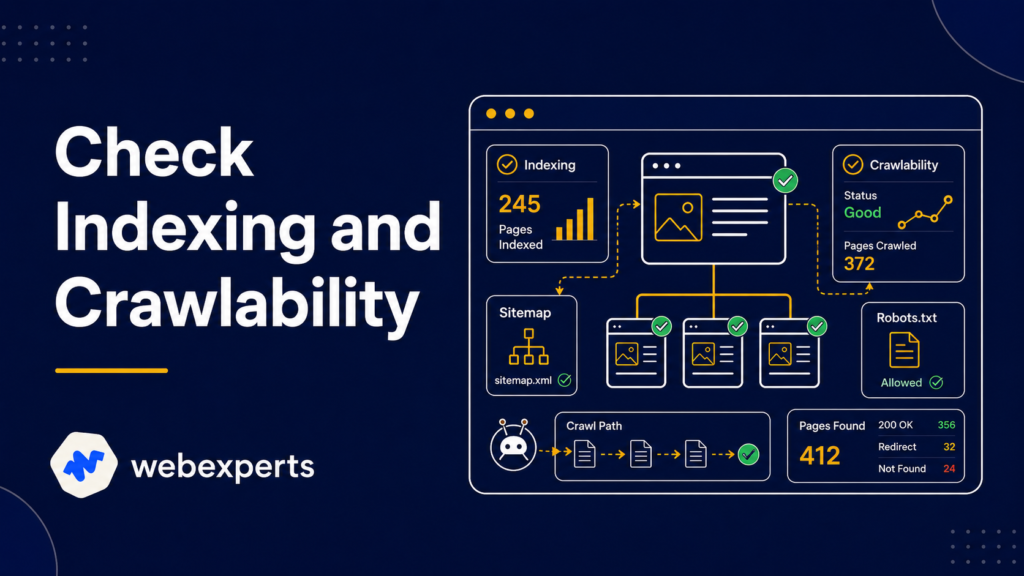
A page that isn’t indexed can’t rank. Full stop. This is one of the most overlooked steps when people explore how to audit your website, and it’s often the cause of unexplained traffic drops.
Open Google Search Console and navigate to the Coverage report. Look for:
Also check your robots.txt file to make sure you haven’t accidentally blocked important pages from Google’s crawler. A single misplaced line in robots.txt can deindex your entire blog.
Your XML sitemap should list every page you want indexed and nothing else. Submit it via Google Search Console if you haven’t already.
This is the most time-intensive part of learning how to audit your website, but it’s also where some of the fastest wins live.
Go page by page especially your top 20 most important pages and check:
Title Tags
Every page needs a unique, keyword-rich title tag under 60 characters. Duplicate or missing title tags confuse Google and reduce your click-through rate from search results.
Meta Descriptions
These don’t directly impact rankings, but they affect whether someone clicks your result. Each meta description should be unique, under 160 characters, and include a clear value proposition.
Header Tags (H1, H2, H3)
Every page should have exactly one H1 that includes your primary keyword. Supporting H2s and H3s should organize the content logically and include secondary keywords naturally.
Image Alt Text
Every image on your site should have a descriptive alt attribute. This helps with accessibility and gives Google additional context about your content.

Technical fixes are important, but how to audit your website goes beyond code. Content quality is one of Google’s most significant ranking factors, and many sites have major content issues they’re not aware of.
During your content audit, ask:
Compare your content directly to the top 3–5 ranking pages for your target keywords. Look at length, depth, structure, and freshness. If competitors are consistently producing more thorough content, that’s your gap.
Thin content should be either expanded significantly or merged with stronger pages. Pages that serve no S.E.O purpose should be removed or redirected.
Page speed is a confirmed Google ranking factor. If your site loads slowly, you’re losing rankings and visitors simultaneously. This step is non-negotiable when thinking about how to audit your website effectively.
Use Google PageSpeed Insights to test both mobile and desktop load times. Pay close attention to:
Common speed issues include uncompressed images, render-blocking JavaScript, no caching policy, and slow hosting servers. Many of these have straightforward fixes that can produce noticeable ranking improvements within weeks of a Google re-crawl.
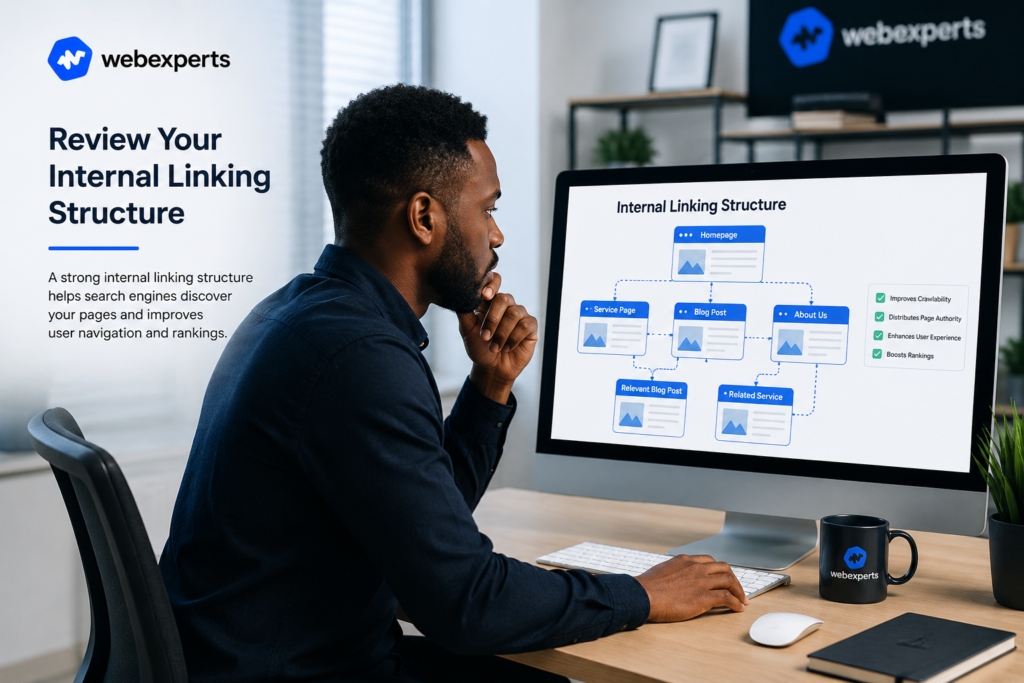
Internal links do two important jobs: they help users navigate your site, and they distribute authority from strong pages to weaker ones. A well-structured internal linking strategy is a competitive advantage most sites completely ignore.
When working through how to audit your website, look for:
Every important page on your site should be reachable within 3 clicks from the homepage. If it isn’t, it’s likely being undervalued by Google.
Backlinks remain one of the strongest ranking signals Google uses. Part of understanding how to audit your website is knowing the quality and quantity of sites linking to you.
Use Ahrefs, Semrush, or Moz to pull your full backlink profile and analyze:
If you find toxic links, add them to a disavow file and submit it via Google Search Console. Focus future link building on earning relevant, authoritative links from sites in your industry.

Google uses mobile-first indexing, which means it primarily evaluates your mobile version when determining rankings. If you’re not checking mobile usability when learning how to audit your website, you’re missing a massive piece of the puzzle.
Use the Mobile-Friendly Test in Google Search Console or simply open your site on a real mobile device and ask:
Mobile issues that affect the user experience directly impact your bounce rate and a high bounce rate signals to Google that your page isn’t satisfying searchers.
This is the step where most DIY audits collapse. People run the tools, collect the data, and then do nothing with it. Knowing how to audit your website is only valuable if you turn findings into action.
Build a prioritized list:
Assign ownership for each task and set realistic deadlines. SEO rewards consistency over urgency — don’t rush fixes in a way that creates new problems.
This is the most common follow-up question once someone learns how to audit your website: how long does it take?
Here’s an honest breakdown:
Track progress monthly using Google Search Console and Analytics watch organic impressions, average position on target keywords, and indexed page count. Don’t judge results week by week; the real trend shows over 3–6 months.
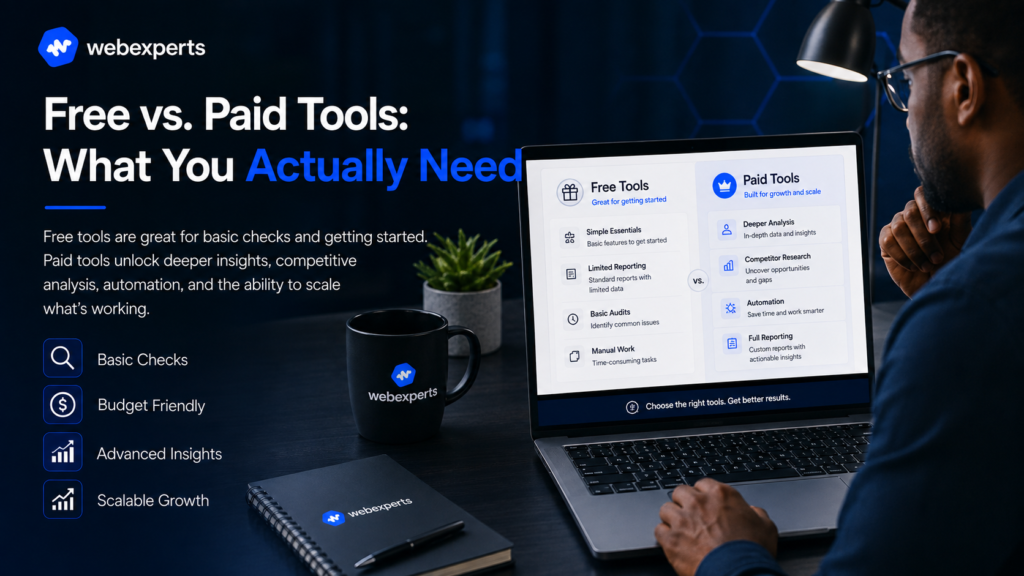
If you’re just starting to understand how to audit your website, you don’t need to spend money immediately. Here’s what you can do for free:
| Tool | What It Does |
|---|---|
| Google Search Console | Indexing, crawl errors, search performance |
| Google PageSpeed Insights | Speed and Core Web Vitals |
| Screaming Frog (free) | Full crawl up to 500 pages |
| Semrush (free tier) | Site health overview |
| Google Analytics 4 | Traffic behavior and landing page performance |
For larger sites or competitive markets, paid tools like Semrush, Ahrefs, or Screaming Frog’s full version provide deeper data, larger crawl limits, and historical tracking that free tools can’t match.
Now that you know how to audit your website, the most important thing to understand is this: the audit itself changes nothing. The action you take after the audit is what moves rankings.
Make auditing a habit a full audit every 6–12 months, with monthly spot checks in between. Websites change, competitors adapt, and Google’s algorithm keeps evolving. The businesses that stay ahead are the ones that never stop measuring.
At WebExperts, we run full S.E.O audits for businesses across West Africa and beyond combining technical analysis, content review, and competitive bench marking into one clear, actionable road map.
📩 Ready to find out what’s holding your website back? visit WebExperts today for a free S.E.O audit consultation.
Learn exactly how to create a website in Benin in 2026 step-by-step, with real prices in FCFA, the right tools,...
Your rankings are slipping. Traffic is flat. You keep publishing content but nothing seems to move. Sound familiar? Before changing...

Discover the top AI tools for from content creation to CRM automation. Compare the best options, explore real use cases,...